
Tap a photo in your group chat, and it fills the screen before your thumb leaves the glass. In that blink, your phone fished exactly the right ripple out of a vast ocean of airwaves it shares with thousands of strangers. That isn’t magic — it’s a treasure hunt, and it runs silently in the background, over and over, every few milliseconds. Grab a shovel; let’s dig in.
Want to dig deeper? Watch the video lecture:
Search Space and CORESET: your treasure map and chest
First, the ocean. The 5G NR air interface is one giant grid: frequency runs one way (thousands of narrow subcarriers) and time runs the other (an endless stream of OFDM symbols — the tiny time slices I introduced in my OFDM post). Your download lands somewhere on that grid. But where?
Finding that spot is the job of a tiny but all-important signpost called the PDCCH — the Physical Downlink Control Channel. It’s a short control message saying: “your data sits at these frequencies, at this exact moment.” Read the signpost, and the treasure is yours.

But hold on — if PDCCH tells your phone where the data is, what tells your phone where the PDCCH is? A signpost is useless if you can’t find the signpost! That’s exactly the puzzle the hunt’s two secret weapons solve: Search Space and CORESET — a treasure map, and the treasure chest it points to.
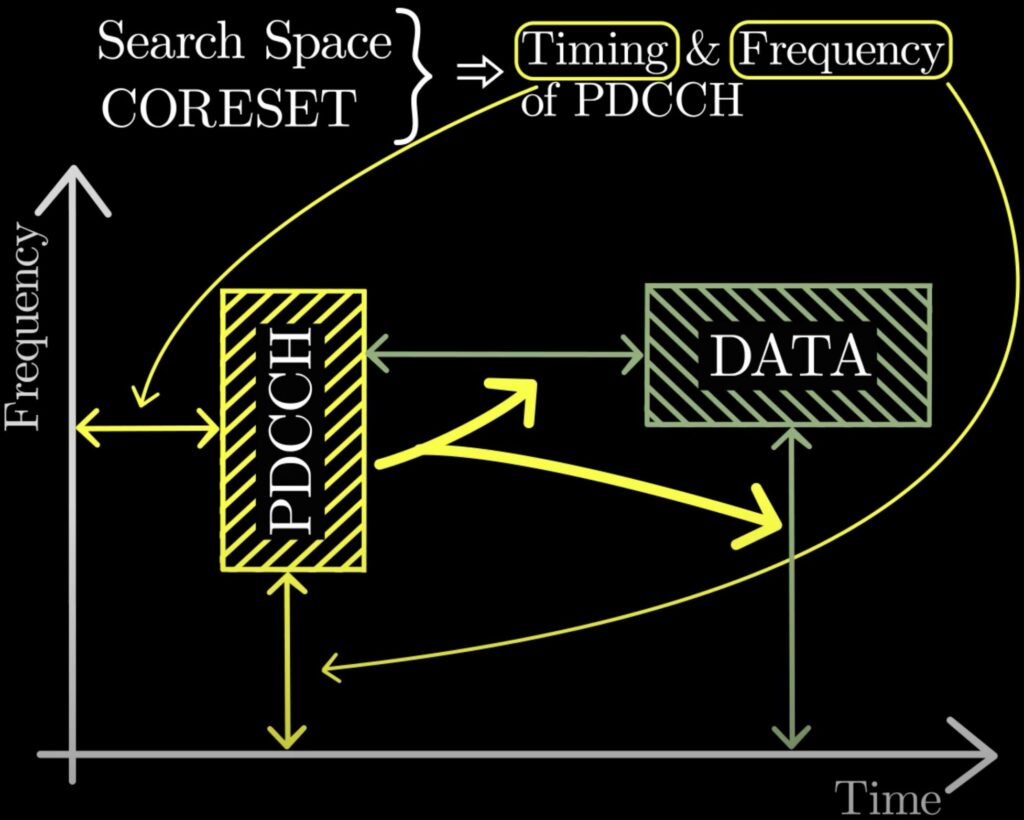
Search Space is your personalized treasure map, handed to your phone by the network. It’s the network whispering, “Hey, your PDCCH might show up around here — check at these times.” In one line: Search Space tells your phone when and where to look for PDCCH.
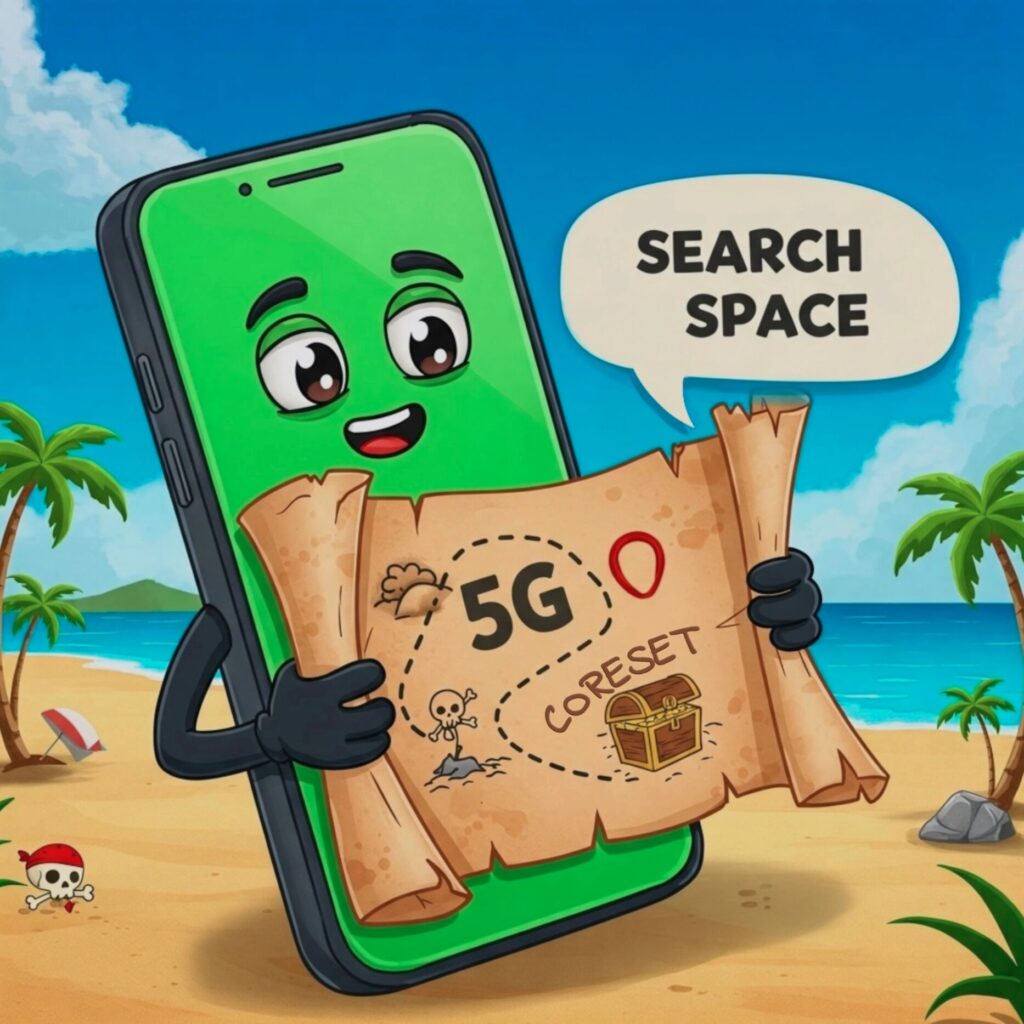
And CORESET — short for Control Resource Set — is the treasure chest marked on that map. It’s a real patch of radio resources: a configurable band of frequencies that lasts just one to three OFDM symbols. A wide, shallow chest — a thin sliver of time, packed with control information.
Map checked, timing agreed — time to lift the lid.
Opening the chest blindfolded: the art of blind decoding
So your phone has found the chest — the CORESET — and fully expects a PDCCH waiting inside. Plot twist: the chest might be empty! The network only drops a PDCCH in there when it actually has something for you. And even when the treasure is inside, your phone doesn’t know which compartment it’s hiding in — or how big it is.

So it does the only thing it can: it opens every compartment and checks each one. Engineers call this blind decoding — decoding without knowing in advance whether anything is there.
The compartments aren’t random, either — they come in standard sizes, built up in three steps:
- REG (Resource Element Group) — the smallest brick: one resource block (12 subcarriers) wide and one OFDM symbol long.
- CCE (Control Channel Element) — the basic compartment: six REGs put together.
- PDCCH — one signpost fills 1, 2, 4, 8, or 16 compartments; that count is called its aggregation level.
Weak signal at the cell edge? The network simply uses more CCEs — writing the same signpost in bigger, bolder letters.
Blind decoding isn’t free — every attempt burns processing power. So the standard (3GPP TS 38.213) puts a hard cap on the hunt: at 15 kHz subcarrier spacing, a phone checks at most 44 PDCCH candidates per slot — and a slot is just 1 ms. The map deliberately keeps each hunt short and snappy.
Once those personal maps arrive, the hunt settles into a quiet rhythm — one with two payoffs you can feel in your hand.
Why this treasure hunt matters to you
Why should you care about maps and chests buried in the airwaves? Because Search Space and CORESET translate directly into a better day with your phone:
- Faster, smoother 5G: your phone finds PDCCH in a flash, so the network can re-schedule your data every single slot — that’s what makes everything feel instant.
- Longer battery life: instead of scanning the whole ocean, your phone peeks into one small chest at agreed times — and naps in between. Less searching, and the battery lasts longer.
CORESET in one breath
- Search Space is the map: when and where to look for the CORESET
- CORESET is the chest: a band of subcarriers along 1–3 OFDM symbols — it can contain a PDCCH
- Blind decoding opens every compartment looking for a PDCCH; the RNTI-scrambled checksum says “this one’s yours”
- PDCCH is the signpost that says where your data sits
- Payoff: instant scheduling and longer battery life
So next time you’re enjoying blazing-fast 5G, spare a thought for the hidden treasure hunt of Search Space and CORESET, running tirelessly in the background — they are the unsung heroes of your smooth and speedy mobile connection! Let me know your thoughts in the comments. Until next time — happy learning!
Leave a Reply